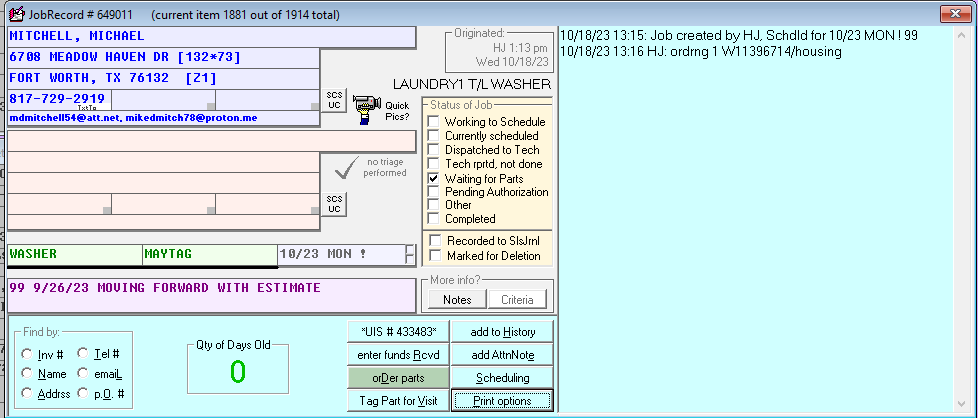
Use this process when a customer comes back and wants to move forward with a previous estimate. Example JobRecord: 649011.
Important: Inform the customer that we need the parts — depending on the parts, we might not be able to offer a scheduled date until we have the part(s) needed.
Steps
- In the issue description, notate that the customer is moving forward with the estimate (as shown in example 649011).
- The previous estimate from the closed-out work order needs to be moved to the new work order.
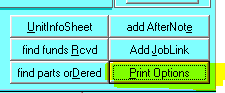
- On the closed-out job record, left-click Print Options.
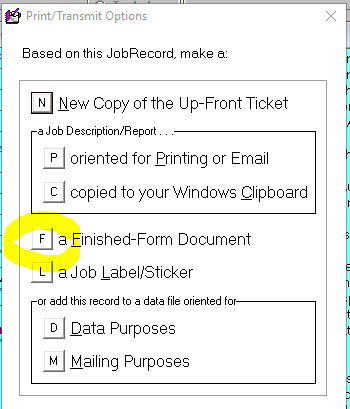
- Left-click Finished-Form Document (the "F" option on the Print/Transmit Options dialog).
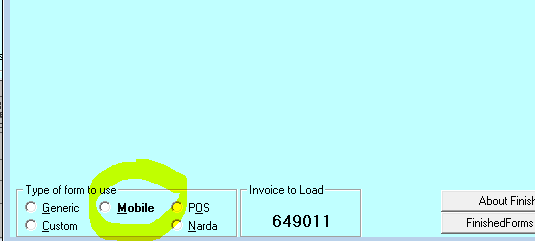
- Choose the Mobile option for the Type of form to use.
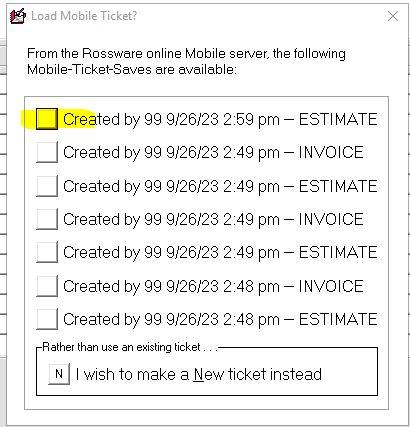
- Choose the most recent estimate from the technician (from the Load Mobile Ticket list — look for the most recent "ESTIMATE" line).
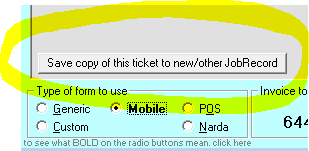
- At the very bottom of the estimate, click the "Save copy of this ticket to new/other JobRecord" tag.
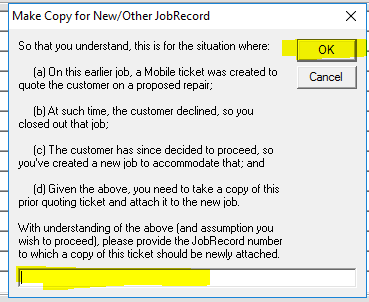
- A confirmation box appears explaining the scenario (original job had a mobile ticket with a quote, customer declined, job closed, customer now wants to proceed, new job created). Enter the new JobRecord number in the bottom field highlighted in yellow, then click OK.
- Once you click OK, all the information in the mobile ticket will transfer over to the new one.
- If parts need to be ordered, order them at this time. Reach out for assistance if you need help ordering parts or if the estimate from the previous work order is missing.
Reference images (from CIT cheat sheet):