When to Use This
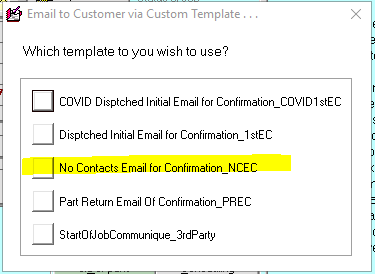
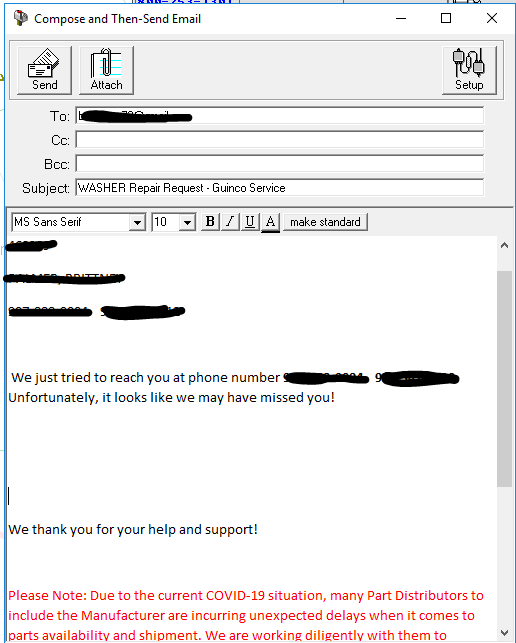
If we have been unable to make contact with the customer via phones, send the No Contacts Email for Confirmation template.
Step-by-Step
- Shift + right-click on the customer's email if available.
- Click on "No Contacts Email for Confirmation_NCEC".
- Delete the items flagged in red in the template (the first line of the first paragraph with the original scheduled date, and the second full paragraph).
- Add the appropriate reschedule script (below) based on what we need to confirm with the customer.
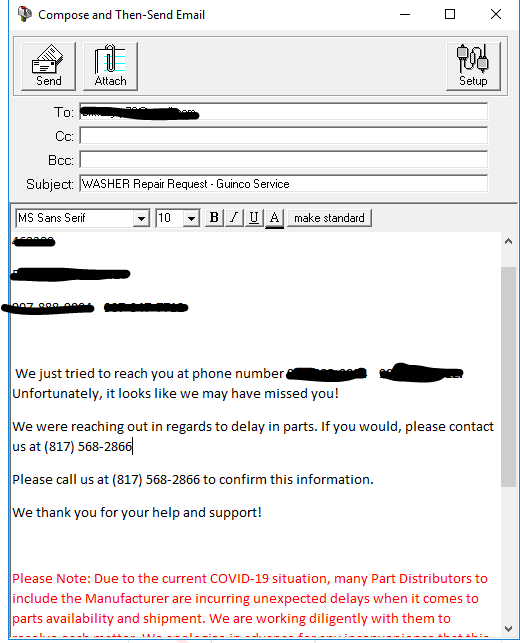
Script - Reschedule Due to Parts (EXPARTS and B/O Parts)
"We were reaching out in regards to delay in parts. If you would, please contact us at (817) 568-2866"
Note: DO NOT give a new date via email. We want the customer to call in to confirm that information.
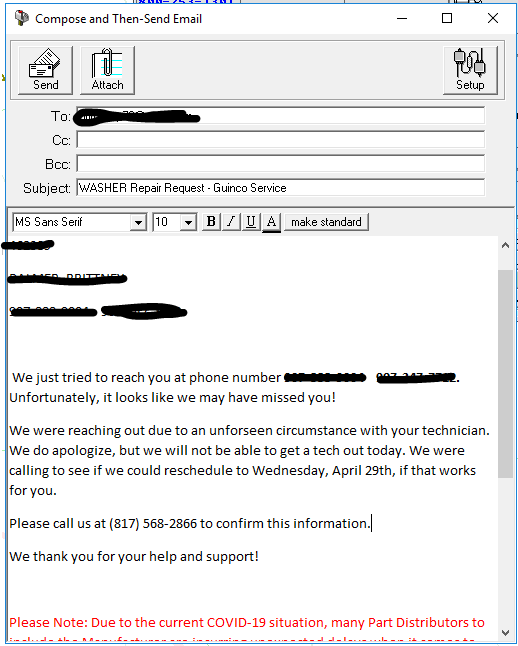
Script - Reschedule Due to Tech Unforeseen
"We were reaching out due to an unforeseen circumstance with your technician. We do apologize, but we will not be able to get a tech out today. We were calling to see if we could reschedule to Wednesday, April 29th, if that works for you. Please call us at (817) 568-2866 to confirm this information."
Insert correct date and phone number for the area.
Reference images (from CIT cheat sheet):