Step 1
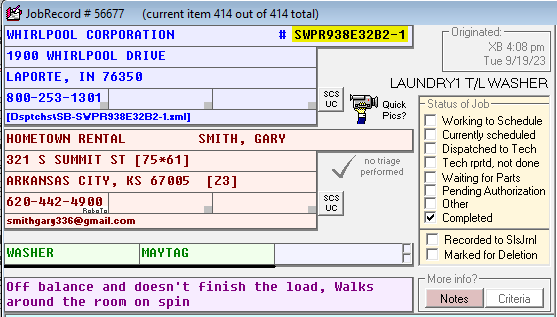
Copy the dispatch number from the work order.
Step 2
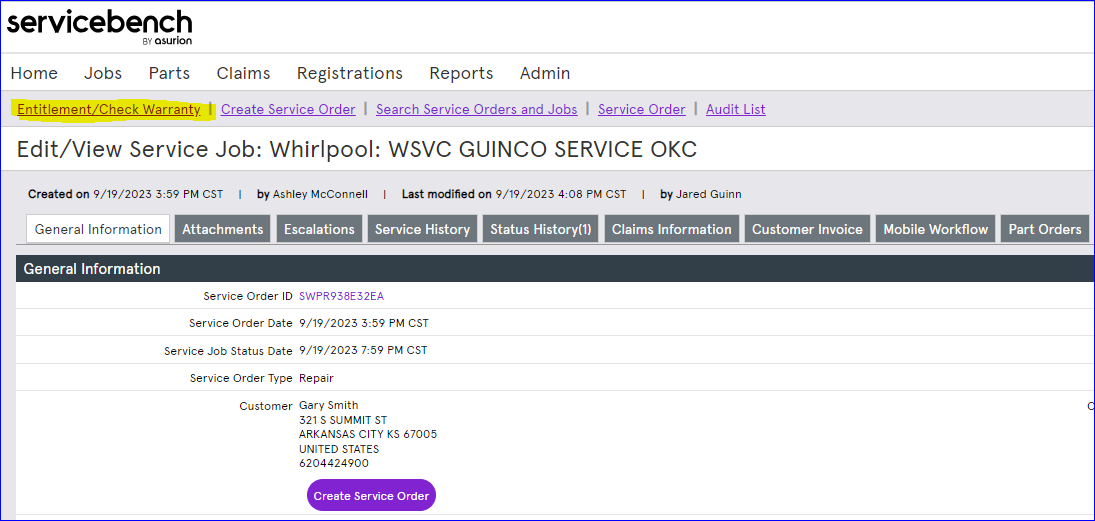
Click Entitlement / Check Warranty (as highlighted in the SD example screenshot).
Step 3
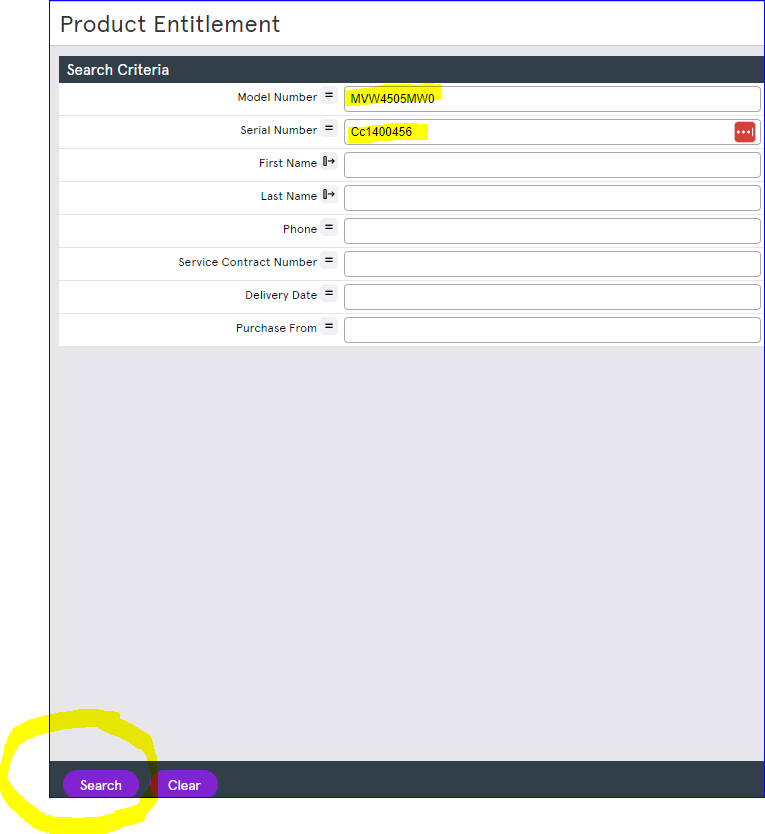
For this search to work properly we have to have the complete model number with the engineering suffix and the serial number. A partial model number will not return accurate entitlement.
If the customer's appliance is shown as out-of-warranty but they believe it should be covered
- Costco purchases get an extra one year of warranty. If entitlement does not show the extra year, the customer has to provide a receipt to get it covered. Add a VF (verify) with a note: "We must get a receipt to get this covered under warranty since entitlement does not show the appliance was purchased from Costco."
Reference images (from CIT cheat sheet):