How to Identify a Business
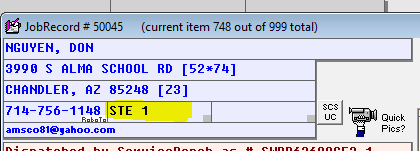
Business dispatches do not always arrive clearly labeled. Common signals:
- STE in the address - 'STE' stands for Suite, which indicates a business.
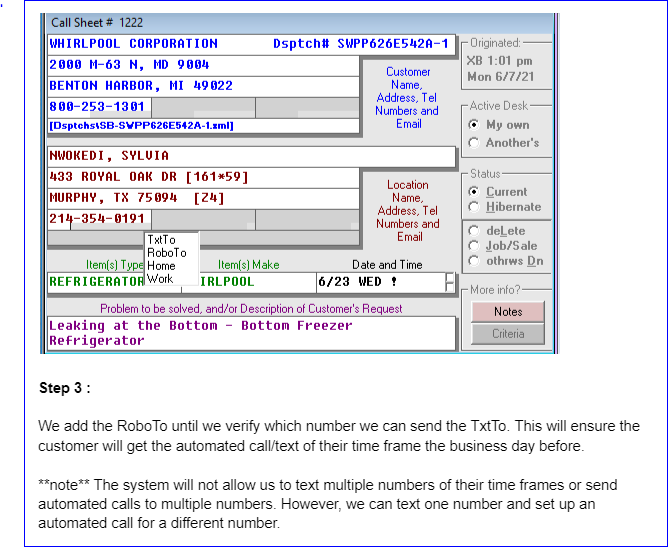
- Business name in the contact field - sometimes only a business name appears, with no suite number.
- Contact name only - occasionally a dispatch lists only a contact name even though the service is for a business. Ask probing questions to confirm.
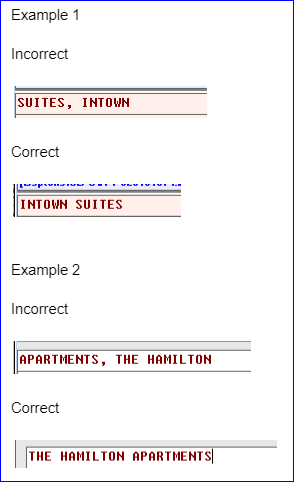
Business Name Clean-Up
Once identified as a business, update the job record to the correct formatting:
- Correct business name listed as the primary.
- Contact person name added / verified.
- Business hours notated.
Examples of correct formatting
[Landlord Last Name], [First Name] (Landlord)- e.g., CRABS, EUGENE (Landlord)[Business Name] - [Primary Contact]- e.g., The Krusty Krab - Mr. Crabs[Apartment Name] - [Primary Personnel]- e.g., SpongeBob Apartments - Squidward[Construction Co] - [Builder / Leasing Agent]- e.g., SpongeBob Builder - Patrick
Important: We cannot leave the builder or maintenance personnel as the main contact if the appliance is not personally owned by that individual.
Reference images (from CIT cheat sheet):