No Show / No Contact
Complete out after three business days after the scheduled appointment if we have not heard from the customer.
(Only if we have not stepped into the home, have not made any contact with the customer, and have not diagnosed the unit.)
Unless the call is a safety or extended warranty - then keep it open until the end of the day on Friday of the same business week. We will need to call and leave this information in a voicemail: if we do not hear back by Friday, we will close the service request out.
Customer Canceled via Robo Call
Same rule as above: complete out after three business days if we have not heard from the customer (only if no home entry / no contact / no diagnosis). Same safety/extended-warranty exception applies.
Standard Unit Serviced or Recall (NOT a Door or Expart)
- 1st attempt: Call ALL numbers listed on file. If no answer, leave a voicemail and notate in history. Try again in 2-3 business days.
- 2nd attempt: Call ALL numbers again. If no answer, leave a voicemail. Notate in history. Try again in 2-3 business days.
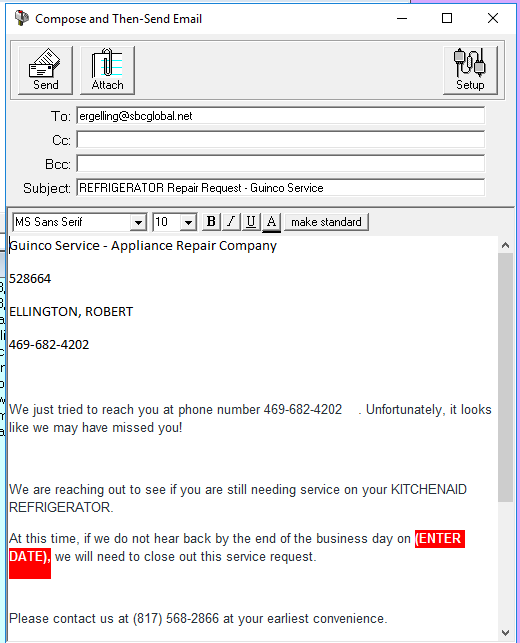
- 3rd and final attempt: Final calls to ALL numbers. Inform the customer that if we do not hear back by the end of the business day (give a specific date, 3 business days out), we will close out the call.
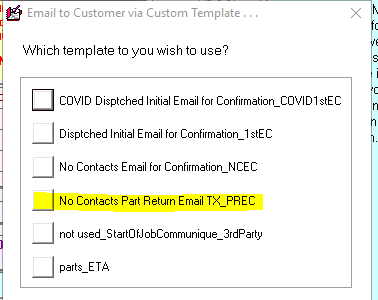
At that time, if the customer has an email, also send the No Contact Part Return Email. Use the same date on the email.
Door or Expart Calls
Working to Schedule for these runs on Monday, Wednesday, and Friday.
- 1st attempt: Call ALL numbers listed. If no answer, leave a voicemail and notate in history.
- 2nd attempt: Call ALL numbers again. Voicemail + notate.
- 3rd and final attempt: Final calls to ALL numbers. Inform the customer that if we do not hear back by the end of the business day (give a date 3 business days out), we will close out the call. If the customer has an email, also send the No Contact Part Return Email with the same date. Close outcall.
Before You Close Any Call - Check This
- There are no other phone numbers or email addresses in the back notes, on previous service orders, or on related addresses. (You may also check emails as a last resort.) Correct contact info and notate as needed.
- DO NOT DELETE A BAD NUMBER. If the line is ringing busy, not allowing a voicemail, or is no longer in service, put the information on BOTH a sticky note AND in the history. (Sometimes the number works again in the future.)
- If the customer does not know when they will be available for a new scheduled date, or there is a pre-condition that is needed before service (plumber, electrician, vents cleaned, etc.), go ahead and cancel out the call. Remind customers they will need to call back to WHP or their extended warranty if that applies (for new service requests we have not been out to, etc.).
DO NOT REJECT ANY CALLS.
Reference images (from CIT cheat sheet):